TimeBlock Scheduler
Productivity · iOS & Android
Make time for your to-dos.
- Category
- Productivity
- Platforms
- iOS
- Written in
- Flutter
- Backed by
- Firebase
- Updated
- 17.9.2026
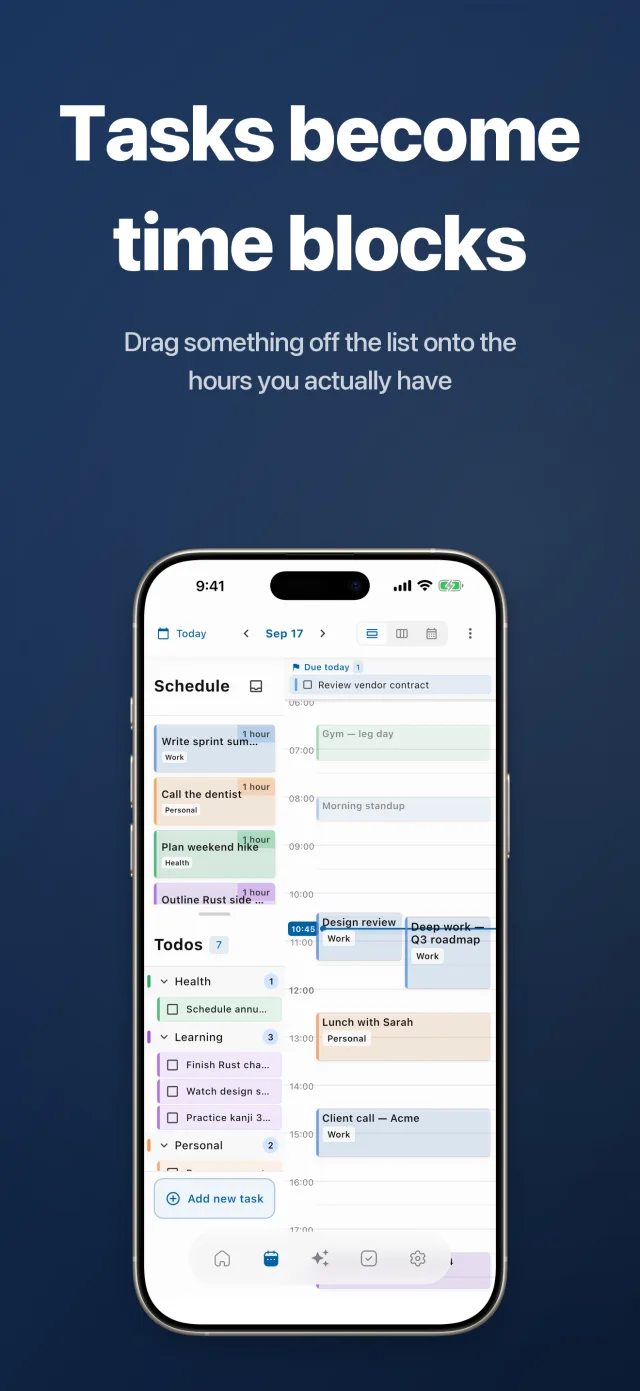
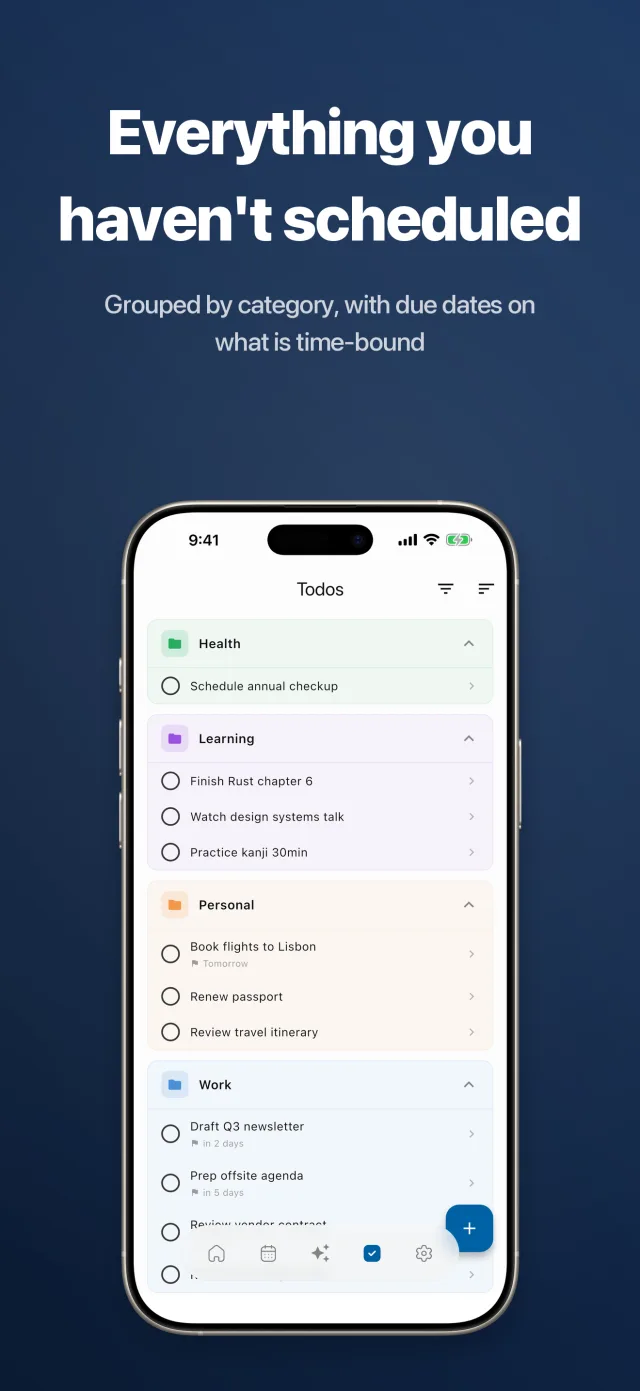
You have a to-do list. Finding time for it is the hard part. TimeBlock Scheduler puts the backlog and the day side by side: drag anything from the list onto the timeline and it becomes a real block of time. Everything lives on the device and works with no account; connecting Google Calendar, Apple Calendar, Outlook, Reminders, Google Tasks, Microsoft To Do or Todoist is optional.
Features
Drag a task onto the day
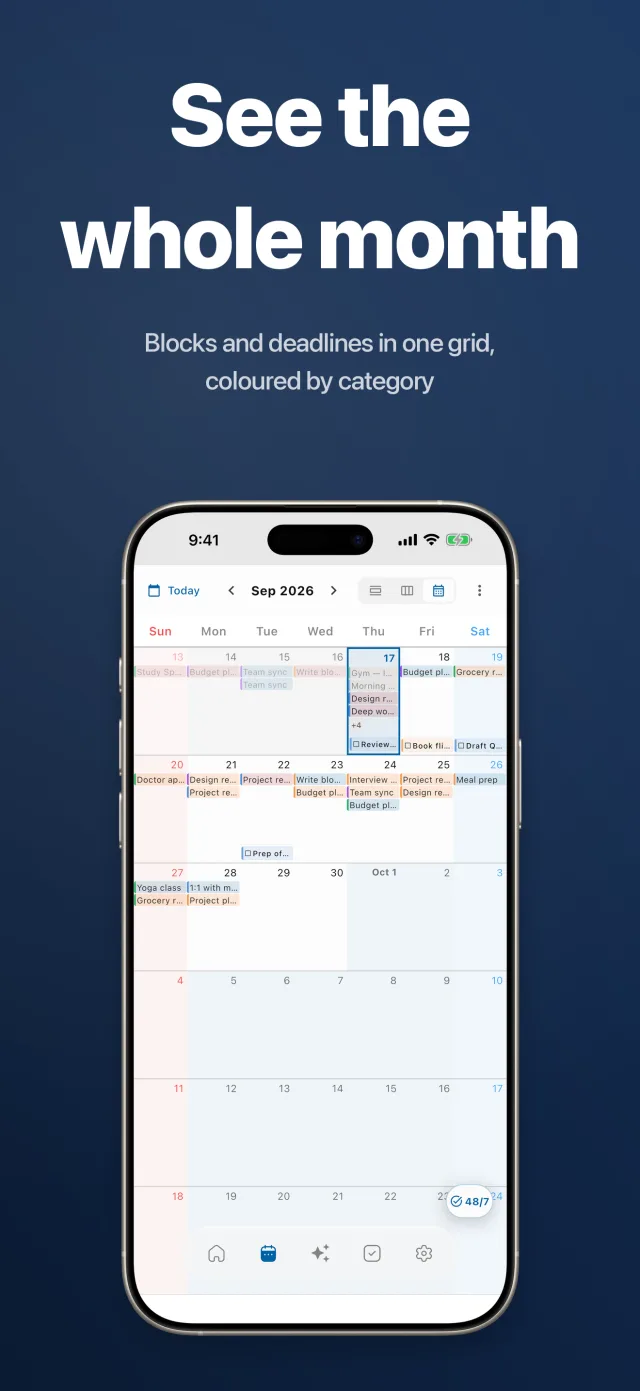
Unscheduled tasks sit beside the timeline. Drag one onto an hour and it becomes a block with a start and an end. The day view runs a live current-time line; the week is a seven-day grid and the month a full calendar, and a task dropped on a month cell asks what time it should take.
The calendars you already keep
Two-way sync with Google Calendar, Apple Calendar and Microsoft Outlook, and with Apple Reminders, Google Tasks, Microsoft To Do and Todoist for the task side. Holiday calendars for your country are optional, and the whole schedule imports and exports as .ics.
Today, without opening the app
A Live Activity and a home screen widget keep today's plan on the Lock and Home Screens. One daily notification summarises the day, and individual events can carry their own reminders.
Type it instead of placing it
AI chat takes plain language — “gym tomorrow afternoon” — and puts it on the calendar at a sensible hour.
Set up how you read a calendar
Dim past events, show week numbers, colour weekends, add event icons and colour bars, and adjust how much text a month cell holds. Eight languages: English, Korean, Japanese, Chinese, German, French, Portuguese and Russian.
Who it's for
- People whose to-do list keeps growing because nothing on it has a time
- Anyone running work and personal calendars that never met each other
- Students and freelancers planning a day in blocks rather than bullet points
- Time-blocking and Cal Newport readers who want the backlog in the same screen as the day
- Anyone who wants a planner that works offline and asks for no account